FramePath 1.1 is in beta now.
If you're in pre-production and want to help shape the first major update, install the beta on your iPhone, iPad, or Mac via TestFlight.
1.1 now in beta
Plan the shoot. Direct your story.
FramePath turns your screenplay into a structured shot list, storyboard, and shoot-day plan — built for indie filmmakers.

See it in action.
From screenplay to shoot-day plan in a single workflow.
From the page to the clapperboard.
FramePath covers the three stages of an indie shoot in one app.
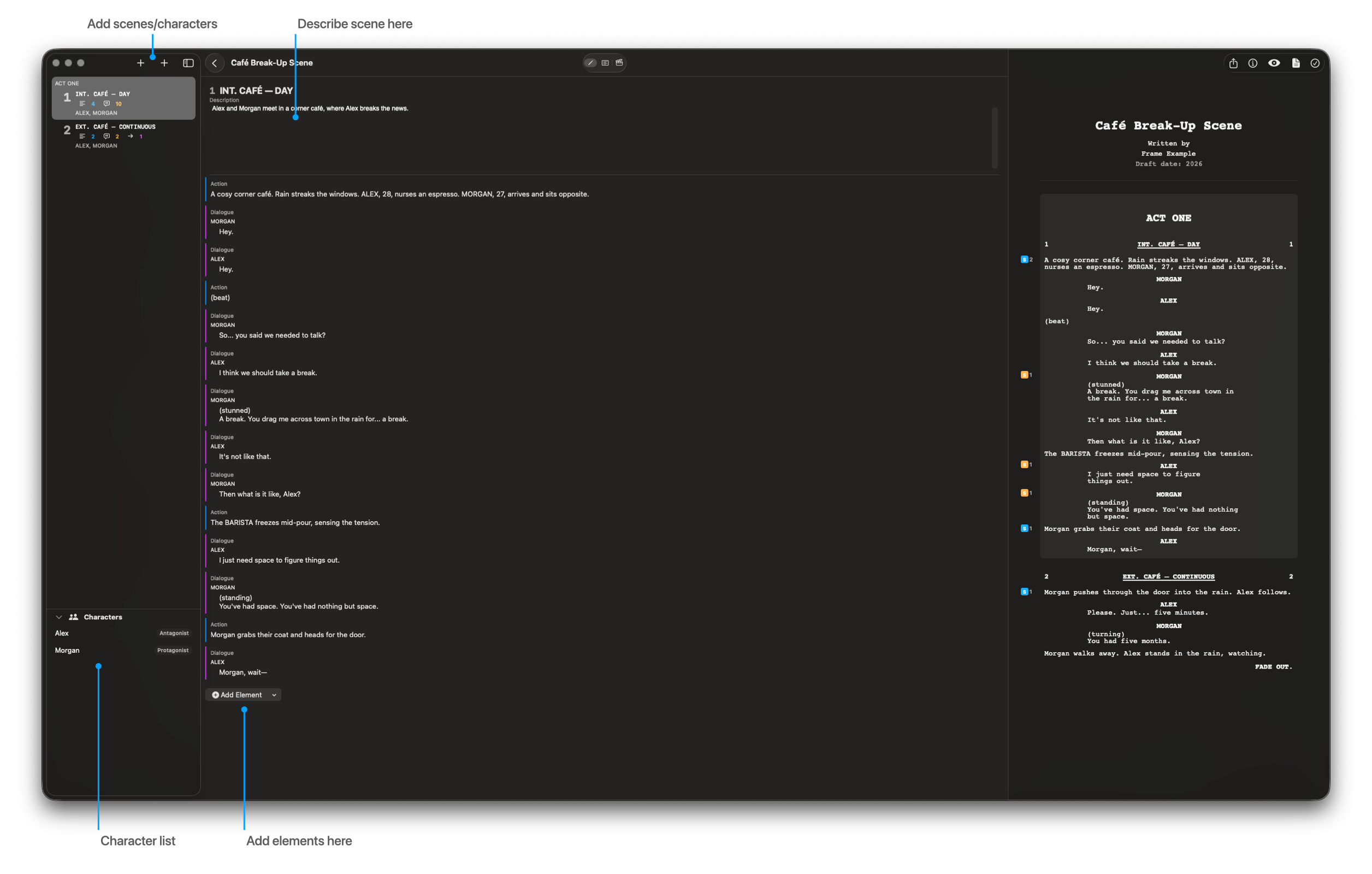 Write
WriteWrite or import your screenplay.
Each scene becomes a card you can break down element by element — action, dialogue, transitions, and the characters who appear.
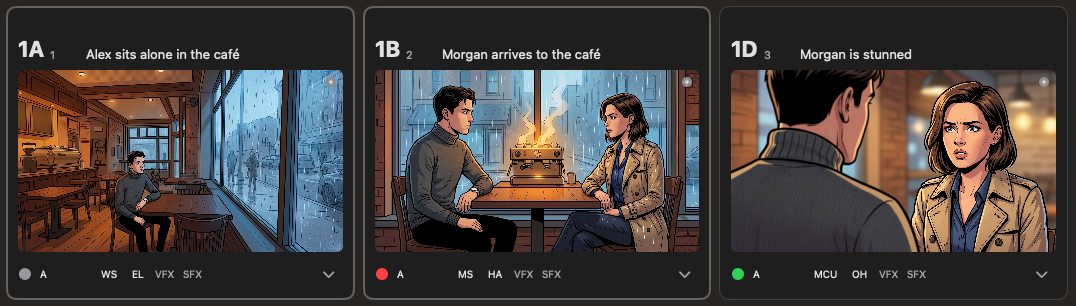 Plan
PlanBuild a shot list and storyboard alongside the script.
Sketch frames, add shot details, and track characters, locations, and props in one view — without leaving the scene you're planning.
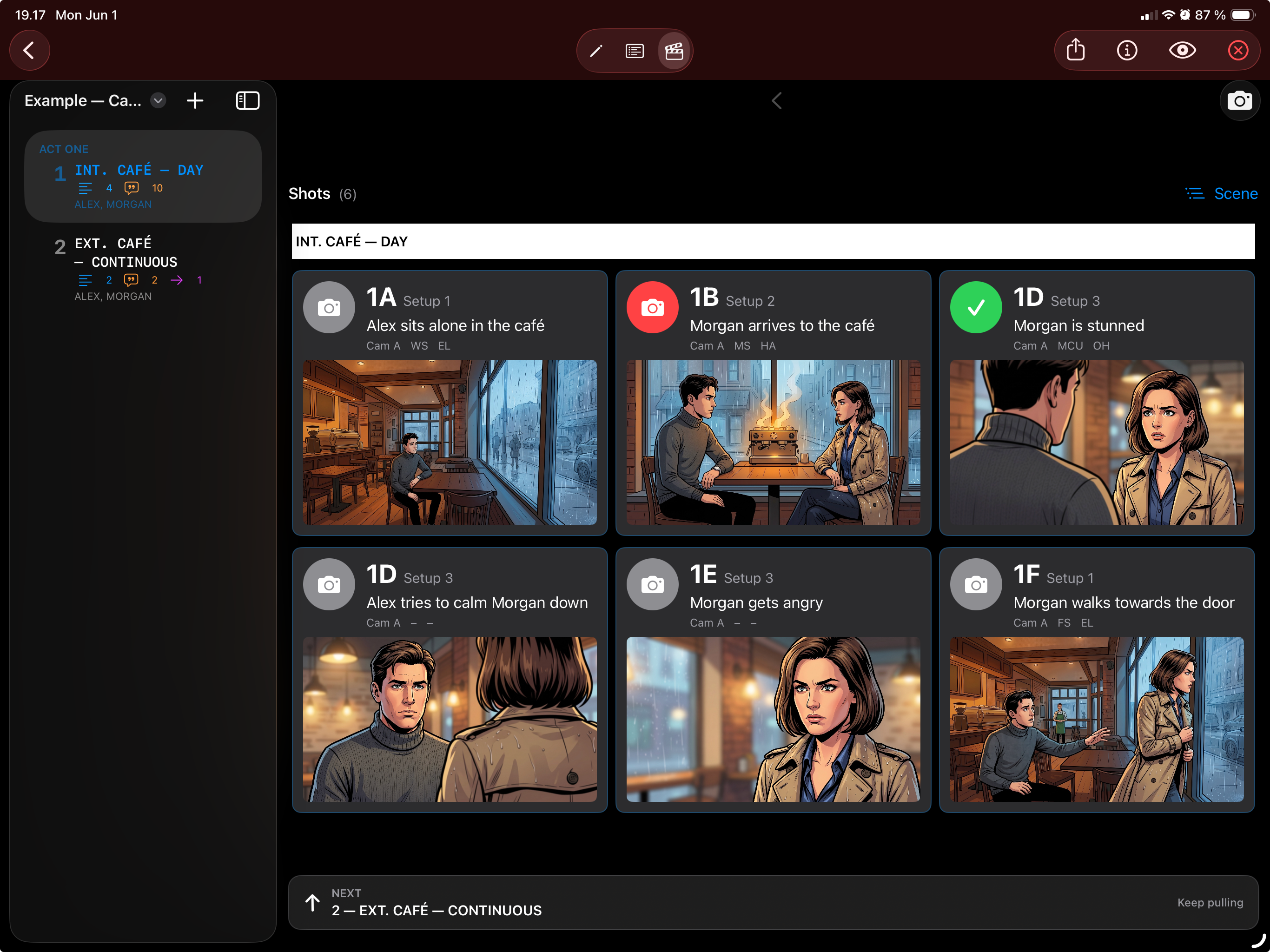 Shoot
ShootRun the shoot from your iPad.
Mark shots complete in shoot mode, slate with the built-in clapperboard, and keep the day moving without juggling spreadsheets.


